我是廣告,點擊一下吧!
標籤
#Flutter (17) 、 #PHP (9) 、 #Laravel (7) 、 #MySQL (5) 、 #Mac (5) 、 #Dart (5) 、 #Android (3) 、 #List (2) 、 #Widget (2) 、 #Carbon (2) 、 #IDE (2) 、 #VS Code (2) 、 #Linux (2) 、 #Shell Script (2) 、 #Cursor Pagination (1) 、 #Pagination (1) 、 #floorMonth (1) 、 #subMonthNoOverflow (1) 、 #資安 (1) 、 #addMonthNoOverflow (1) 、 #subMonth (1) 、 #MySQL 效能 (1) 、 #Mac M1 (1) 、 #個人空間 (1) 、 #Android Splash Screen (1) 、 #Android vector (1) 、 #SVG (1) 、 #Directory Structure (1) 、 #SQL Injection (1) 、 #createFromTimestamp (1)
#Flutter、#Widget、#RepaintBoundary
在開發專案的過程中,常常會需要將畫面轉換成圖片,例如:在問題回報時附上 APP 截圖、分享邀請小卡、需包含各種資訊加簽名的螢幕截圖。
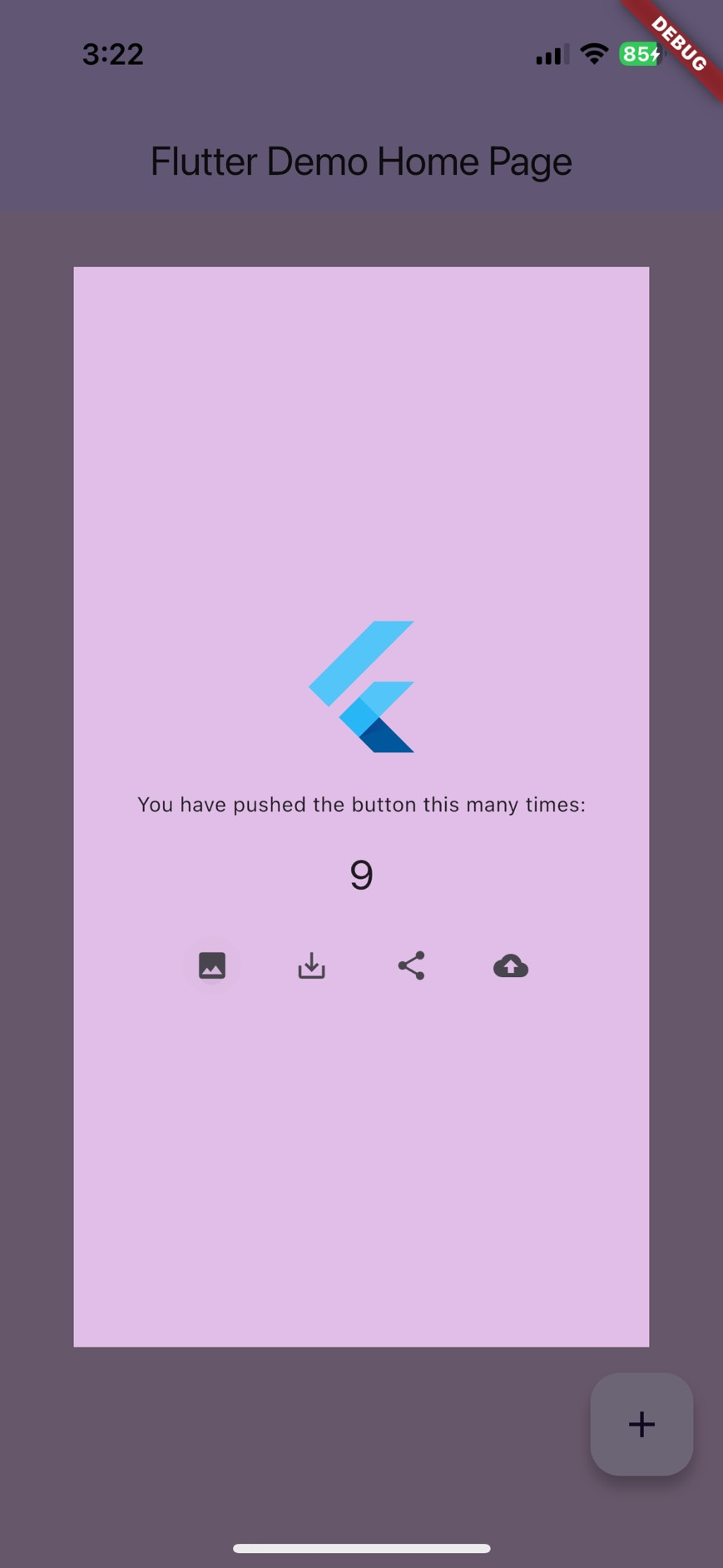
這時候就可以使用 RepaintBoundary ,原本他是將 Widget 獨立渲染防止不必要的重繪的,利用 RenderRepaintBoundary 的 toImage 可以轉換成 ui.Image ,再轉換成 Uint8List 就可以做很多事情了。
Preview
Widget 顯示
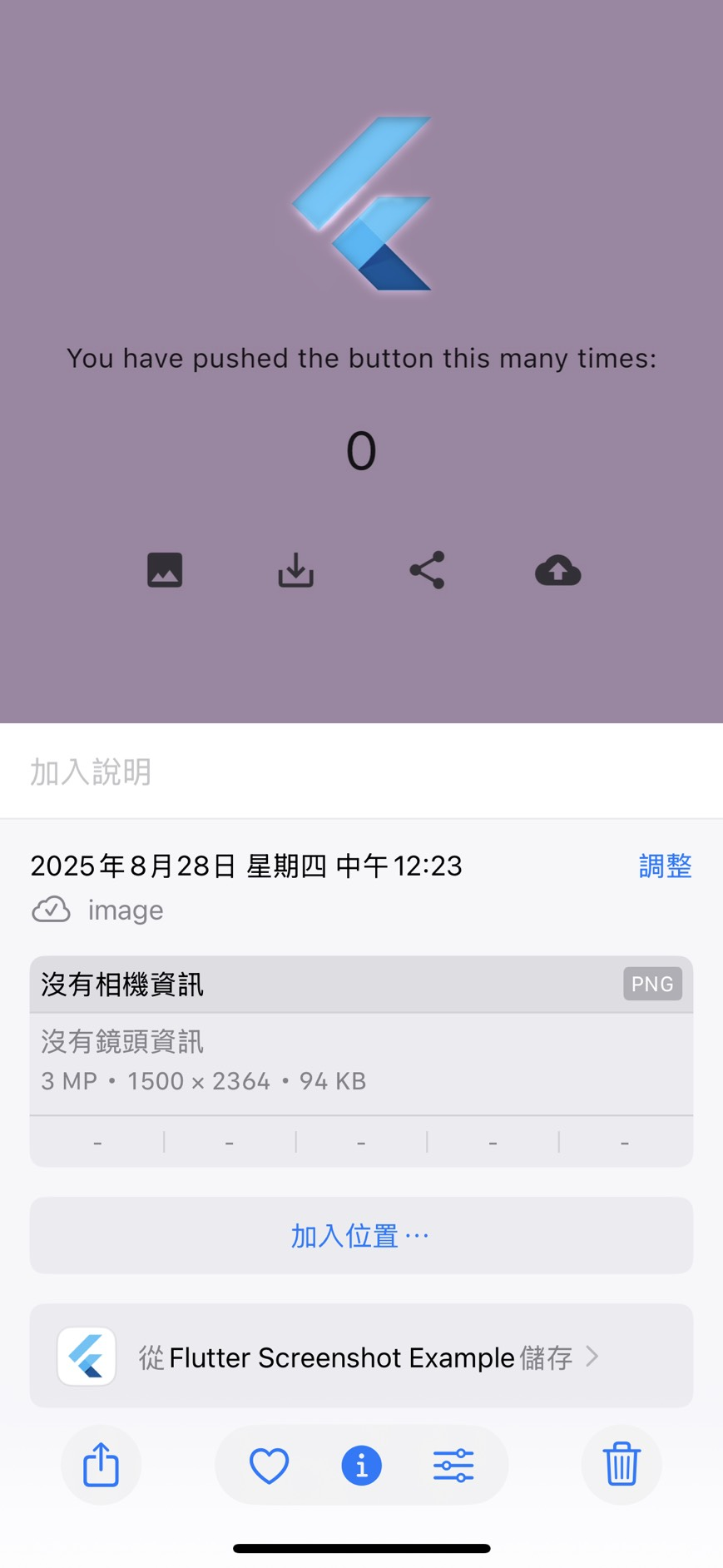
儲存到相簿
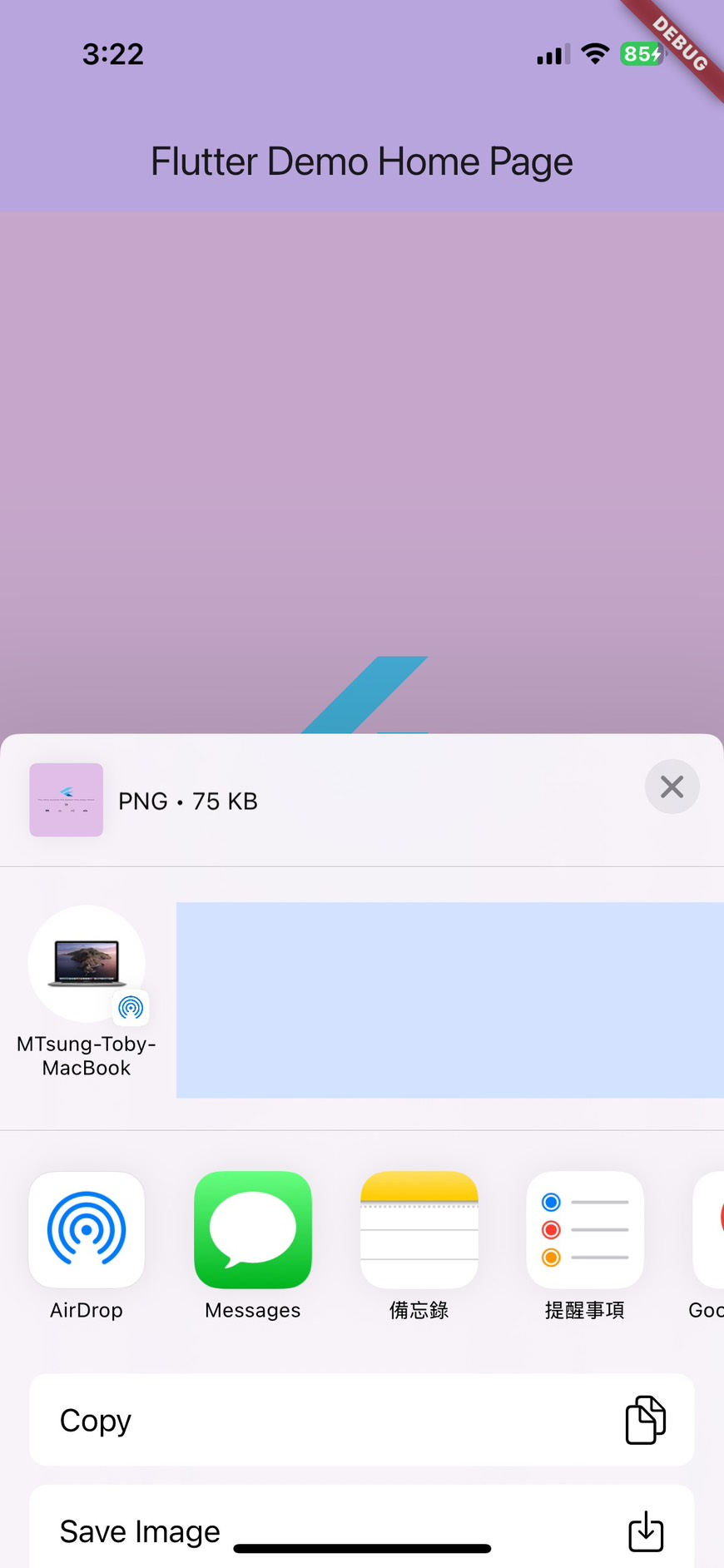
分享
#Flutter、#Live Activity、#Dynamic Island
即時動態(Live Activities)是 iOS 16.1 新增的功能,讓 APP 可以在鎖定畫面、通知中心或動態島顯示即時更新的資訊。使用者可以不必打開 APP 就能輕鬆查看一些即時資訊,提升便利性和互動體驗。
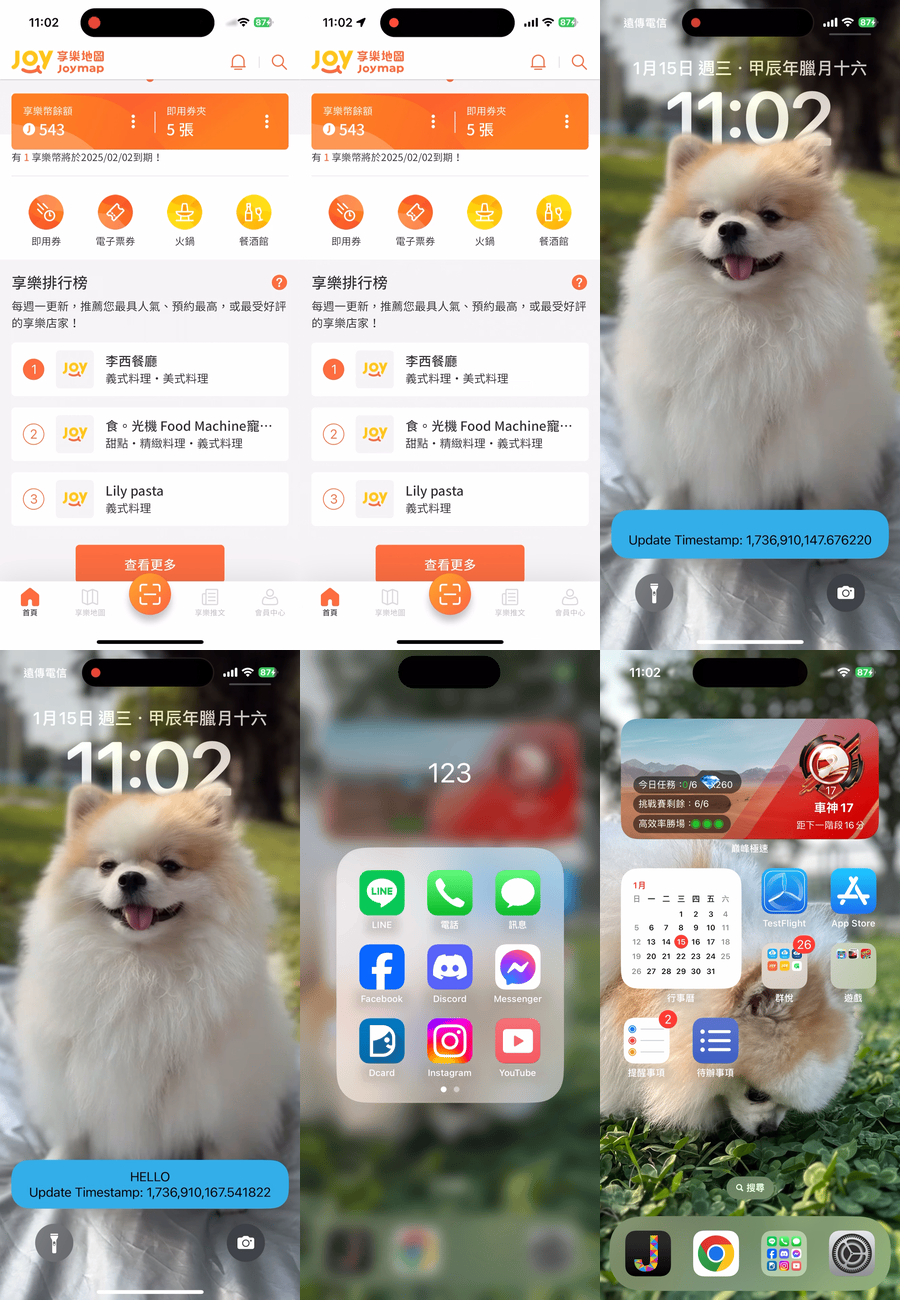
Flutter package
使用 https://pub.dev/packages/live_activities。
需要寫一些 Swift,這篇文章主要介紹我使用時遇到的問題跟要注意的事項。
#Flutter、#Directory Structure
├── assets                                # 檔案
│   ├── fonts                             #
│   ├── images                            #
│   └── svg                               #
├── core                                  #
│   ├── bloc                              # BLoC
│   │   ├── global_bloc.dart              # 正式/測試、深色模式切換
│   │   ├── global_event.dart             #
│   │   └── global_state.dart             #
│   ├── helper                            #
│   │   ├── api.dart                      # Dio 設定
│   │   ├── app_color.dart                # 常用色彩
│   │   ├── app_const.dart                # 一些常數
│   │   ├── app_icons.dart                # Icons
│   │   ├── app_images.dart               # Images
│   │   ├── app_key.dart                  # Storage Key
│   │   ├── app_text_size.dart            # 常用文字大小
│   │   ├── app_text_style.dart           # 常用文字 Style
│   │   ├── enum.dart                     # enum
│   │   ├── loading.dart                  # Loading 視窗
│   │   ├── toast.dart                    # 提示彈窗
│   │   └── vibrate.dart                  # 震動
│   ├── models                            #
│   │   ├── pagination_model.dart         # 處理 API 分頁固定的格式
│   │   ├── pagination_model.dart         #
│   │   ├── response_model.dart           # 處理 API response 固定的格式
│   │   └── response_model.g.dart         #
│   ├── repositories                      #
│   │   └── repository.dart               # Call API 的共用處理,Server Error、Timeout、Refresh Token...
│   ├── services                          #
│   │   ├── shared                        #
│   │   │   ├── info_service.dart         # 取得裝置資訊的 Class
│   │   │   └── permission_service.dart   # 處理獲取權限的 Class
│   │   └── global_service.dart           # 共用資料的 Singleton Class
│   └── validator                         # 驗證
│       ├── manager                       # 整合驗證
│       ├── single                        # 單個驗證
│       ├── manager_interfaces.dart       # 整合驗證 interfaces
│       └── single_interfaces.dart        # 單個驗證 interfaces
├── l10n                                  # 多國語系 arb 檔案
│   └── app_zh.arb                        # zh-tw
├── ui                                    # ui 都放在這裡面
│   ├── modal_pages                       # showModalBottomSheet 用的頁面,再利用各個單元分資料夾
│   │   └── dialog                        # showDialog 用的頁面,再利用各個單元分資料夾
│   ├── pages                             # 有 Scaffold,再利用各個單元分資料夾
│   └── widgets                           # 單純 Widget,再利用各個單元分資料夾
│       └── shared                        # 共用 Widget
│           └── fields                    # 客制的 Input、Button、Checkbox、Tag.....
├── app_link.dart                         # App Link/Universal Links
├── firebase.dart                         # Firebase 的東西
├── main.dart                             # 程式進入點
└── routes.dart # 路由#flutter、#google_sign_in
為什麼要升級?
- 6.x 基於舊的 Google Sign-In SDK,已經被官方標註 deprecated
- 7.x 支援新的 OpenID Connect 流程,統一各平台 API
- 新增支援 nonce 參數,更安全的 ID token 驗證
差異
| 功能 | 6.x | 7.x |
|---|---|---|
| GoogleSignIn 建構 | GoogleSignIn(scopes: ['email']) | GoogleSignIn.instance.initialize(serverClientId: ...) |
| signIn | await _googleSignIn.signIn() | await GoogleSignIn.instance.authenticate(scopeHint: ['email'], nonce: ...) |
| silent signIn | signInSilently() | attemptLightweightAuthentication() |
| access token | 直接在 authentication | 透過 authorizationClient.authorizationForScopes() |
修改程式碼
6.x 寫法
try {
  final GoogleSignIn _googleSignIn = GoogleSignIn(scopes: ['email']);

  final GoogleSignInAccount? account = await _googleSignIn.signIn();
  if (account != null) {
    return GoogleUserDataModel(
      account.id,
      (await account.authentication).idToken ?? '',
      (await account.authentication).accessToken ?? '',
      account.displayName ?? '',
      account.email,
      account.photoUrl,
    );
  }
} catch (error) {
  return null;
}
return null;
7.x 寫法
try {
  await GoogleSignIn.instance.initialize(
    serverClientId: '<google-services.json → oauth_client → client_type: 3 → client_id>',
    nonce: '<optional, provide your own nonce value if required>',
  );

  GoogleSignInAccount account = await GoogleSignIn.instance.authenticate(scopeHint: ['email']);

  GoogleSignInClientAuthorization? tokenInfo = await account.authorizationClient.authorizationForScopes(['email']);

  return GoogleUserDataModel(
    account.id,
    account.authentication.idToken ?? '',
    tokenInfo?.accessToken ?? '',
    account.displayName ?? '',
    account.email,
    account.photoUrl,
  );
} catch (error) {
  return null;
}
遇到問題
iOS 滿順利的,只要 pod update 一下就好
pod update GoogleSignIn AppAuth
Android 就花了點時間,選完帳號無反應,出現 Exception: GoogleSignInExceptionCode.canceled。
I/flutter (14536): GoogleSignInException(code GoogleSignInExceptionCode.canceled, activity is cancelled by the user., null)
出現這個 Exception 這一定是使用者取消,沒設定好也可能會出現
Some configuration errors will cause the underlying Android CredentialManager SDK to return a “canceled” error in this flow, and unfortunately the google_sign_in plugin has no way to distinguish this case from the user canceling sign-in, so cannot return a more accurate error message.
有幾種可能:
- Firebase SHA-1 指紋設定錯誤,Debug 跟 Release 的都要設定,記得也要加上 Google Play 的應用程式簽署金鑰憑證,從 Play 商店下載的才能使用。
- serverClientId 設定錯誤,要拿
google-services.json檔案中oauth_client裡client_type為 3 的client_id。 - Android package name 錯誤。
Your google-services.json contains a web OAuth client, which should be an oauth_client entry with client_type: 3. This should have been created automatically when enabling Google Sign In using the Firebase console, but if not (or if it was later removed), add a web app to the project and then re-download google-services.json.
#Android、#Play App Signing、#keytool
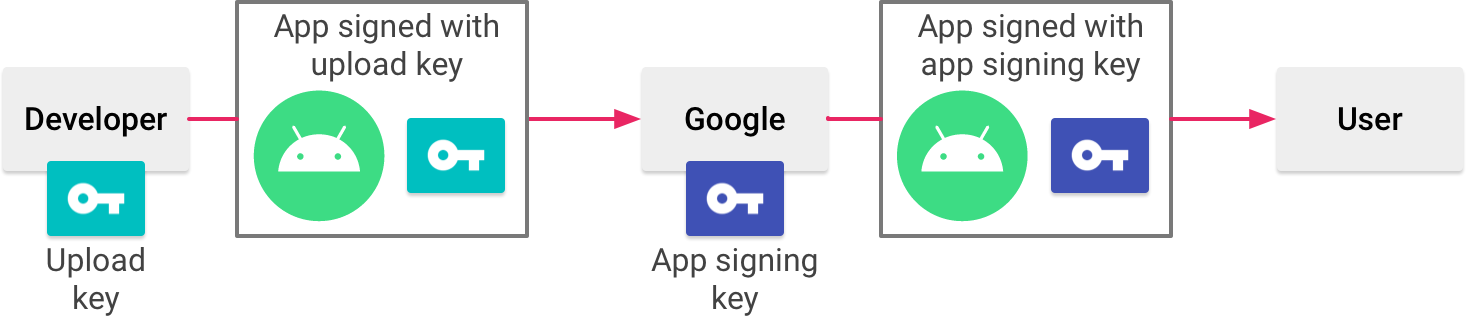
最近換了新 Mac,但忘記把上一台的 Android upload-keystore.jks 傳過來就格式化了,導致無法上傳更新 APP。
您的 Android App Bundle 使用的簽署金鑰錯誤。請務必使用正確的簽署金鑰簽署您的 App Bundle,然後再試一次。您的 App Bundle 應由具有以下指紋的憑證簽署:
SHA1: EB:4A:............:DA:9E
,而您為簽署 App Bundle 所上傳的憑證具有以下指紋:
SHA1: 79:61:............:11:F2 
好在有參加 Google Play 應用程式簽署計畫,讓 Goolge 幫我保管真實的簽署金鑰,否則就要改套件名稱(bundle ID)並重新上架了。
Google Play 應用程式簽署計畫
只要您使用 Play 應用程式簽署功能,Google 就會為您管理及保護應用程式的簽署金鑰,並使用該金鑰簽署您要發布的 APK。此外,由於應用程式套件會延遲建立 Google Play 商店簽署及簽署 APK,因此您必須設定 Play 應用程式簽署功能,然後再上傳應用程式套件。